ArcadeMash
A downloadable game for Android
🎯 ArcadeMash - Action-Packed Mayhem Shooter 🔥
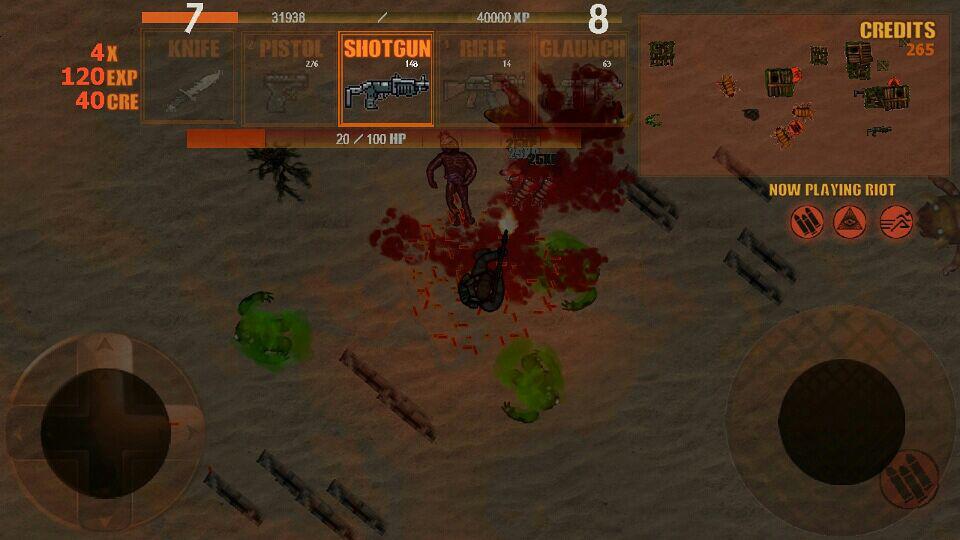
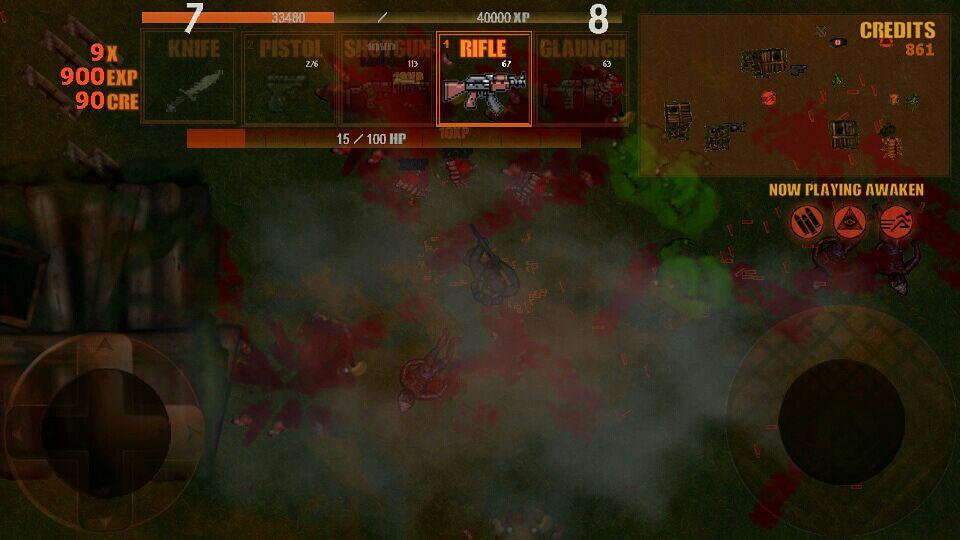
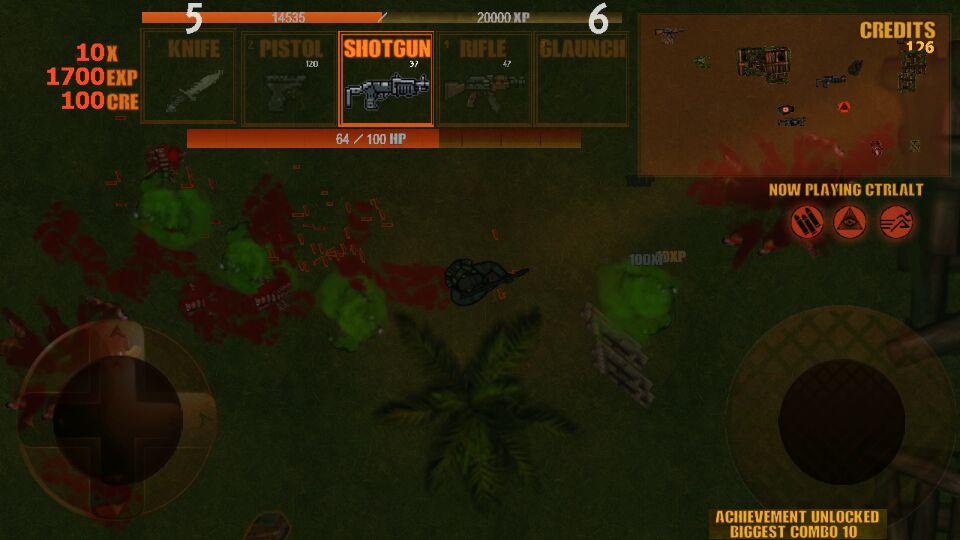
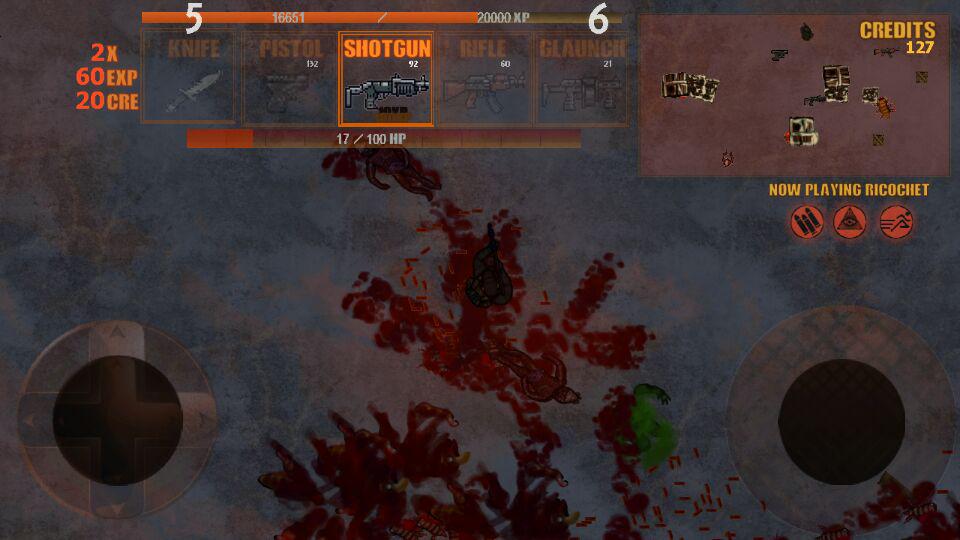
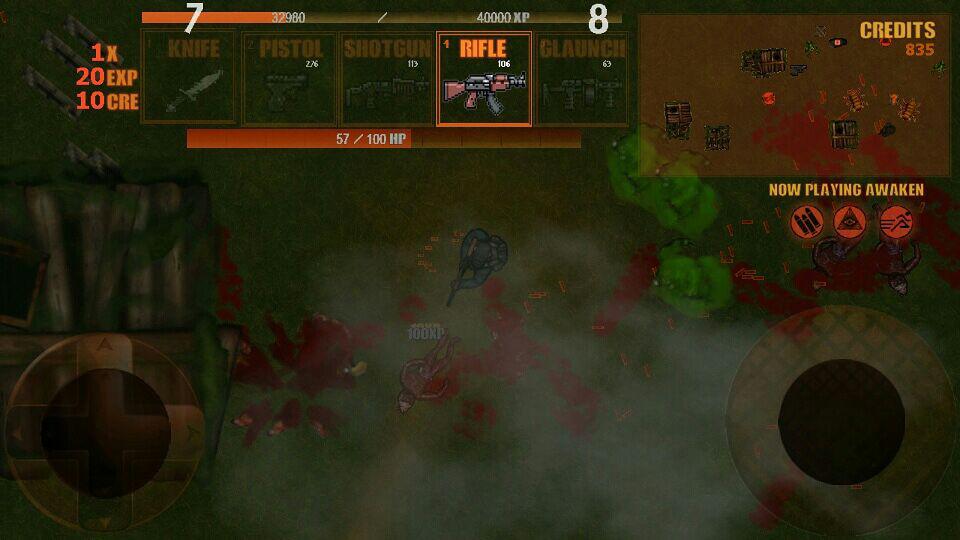
ArcadeMash is an intense top-down shooter with endless monster waves. Play solo in auto-generated maps, track achievements in the Trophy system, and visit the shop for upgrades. Five unique weapons are available, each customizable through use or upgrade kits
🚀 Story
“You're a hunter lost on an island, and the night is falling. You are not alone in the night, however, and you can already hear the creepy crawlies closing in...”
📌 Notes & Compatibility
📲 Compatible with Android 4.3 up to 11+ ⚠️ This is a custom APK (sideload) installation. Never install APKs from untrusted sources! 🛠️ Latest Update 1.4: 27.10.2019 | Version 1.0: 26.2.2018
⚠️ Important: Google Is Making Sideloading Harder
Unfortunately, Google has been tightening restrictions on installing apps outside the Play Store. Stricter sideloading rules may expand further in autumn 2026. Depending on your Android version and region, you may hit a 24-hour waiting period when installing APKs
There are two ways to deal with this
- Method A — Developer Mode: Allows installation after a 24-hour wait
- Method B — ADB (Android Debug Bridge): Bypasses the waiting period entirely
📥 Standard Installation
- Download the APK from this page
- Go to Settings → Security (or Privacy → Install unknown apps on newer Android) and allow your file manager or browser to install from unknown sources
- Open your Downloads folder and tap the APK file
- Follow the on-screen prompts to finish installation
🧑💻 Method A — Developer Mode (24-hour wait)
If Google's enhanced protection blocks the install, enabling Developer Mode on your device will allow it — but only after a mandatory 24-hour wait from the first install attempt
- Open Settings → About phone
- Find Build number and tap it 7 times in a row
- Go to Settings → System → Developer options
- Enable Install via USB or disable Enhanced security for unknown sources if present
- Attempt to install the APK. If prompted about a wait, confirm and try again the next day
⚡ Method B — ADB Install (No Wait)
ADB installs APKs directly from a PC/Mac, bypassing Google's delay. You'll need a computer and a USB cable
Step 1 — Set up your computer
- Download Android Platform Tools from Google and extract the ZIP
- Open PowerShell (Windows) or Terminal (Mac) in that folder
Step 2 — Install the APK
- Enable USB Debugging in Developer options on your phone
- Connect phone to PC and run command:
adb devices - Install with:
adb install arcademash.apk(replace with the actual filename)
🎨 Credits
Programmer: Oneak Graphics: Harri Jokinen / tgfcoder / TRBRY / Riley Combart Sounds & Music: Purski Beta Testers: Harri Jokinen / Purski
📩 Support & Links
✨ Support us and stay updated by visiting our Official Blog 💡 Need help? Contact us: grmgamedev [at] gmail [dot] com
Purchase
In order to download this game you must purchase it at or above the minimum price of $1 USD. You will get access to the following files: